Visual tour
Visual Feature Atlas
Learn VEX-NX by looking at the real product UI - annotated demo screenshots with click paths back into the cookbook.
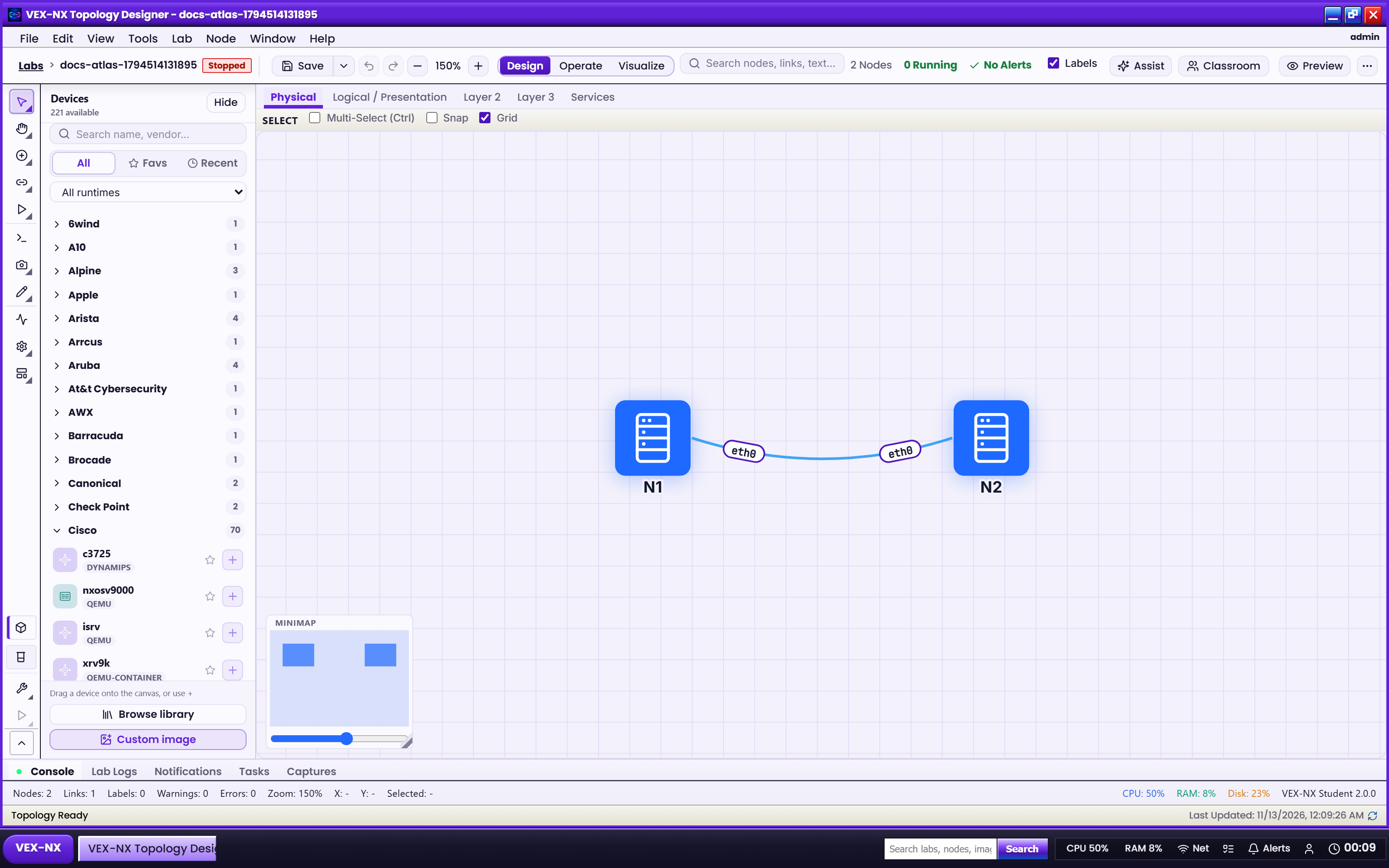
Goal
Learn VEX-NX by looking at the real product UI - annotated demo screenshots with click paths back into the cookbook.
Why an atlas exists
Text recipes tell you what to click. The atlas shows where those controls live so demos, onboarding, and sales walkthroughs stay aligned with the shipping UI.
How to use this atlas
- Pick a day storyboard if you are new (First hour -> Build and operate -> Teach a class)
- Or open an area gallery (Design, Operate, Visualize, Images, Assist, Classroom, Admin)
- Each demo card has: screenshot, What you see, Why it matters, Try it, Cookbook link
- Footer truth label: Live UI = captured from a running appliance; Diagram = synthetic teaching graphic
Captions use YOUR-APPLIANCE-IP placeholders. Never paste real passwords, licence private keys, or API tokens into screenshots or tickets.
Feature index
| Area | Gallery | Storyboard |
|---|---|---|
| Home and nav | Home and navigation | Day 1: First hour |
| Labs / Guided | Labs and Guided Labs | Day 1 |
| Design | Design workspace | Day 2: Build and operate |
| Operate | Operate, console, and capture | Day 2 |
| Visualize | Visualize, Traffic, and Present | Day 2 |
| Images | Images library | Day 1 / Day 2 |
| Assist | Assist studio | Day 2 |
| Classroom | Classroom studio | Day 3: Teach a class |
| Admin | Admin and licence | Day 3 prep |
Start here
- Day 1: First hour
- Design workspace
- Cookbook: Menus and toolbars