Run labs
Cluster Manager
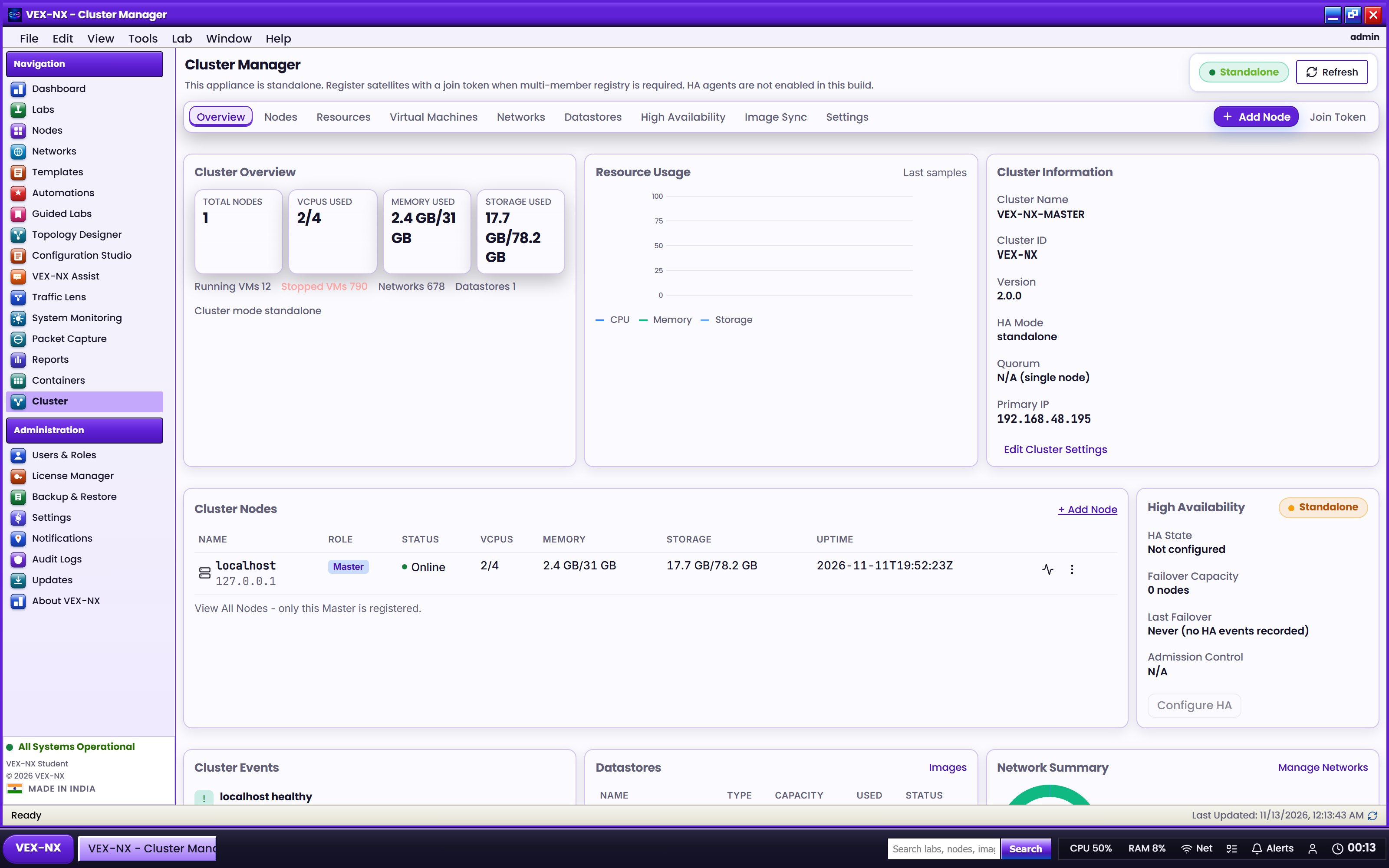
Register compute agents, review cluster health and resources, and plan image sync for distributed lab placement.
Goal
Register compute agents, review cluster health and resources, and plan image sync for distributed lab placement.
Open it
OS app launcher -> Cluster Manager (/cluster).
What you get
| Tab / area | Use it for |
|---|---|
| Overview | Master + agent health, lab load |
| Nodes | Add agent (host / address / join token), maintenance, remove (not Master) |
| Resources / VMs / Networks / Datastores | Capacity and fabric inventory views |
| Images | Image sync plan and trigger sync job |
| HA | Honest unavailable / deferred fencing (not true HA failover yet) |
| Settings | Cluster-level options exposed by the build |
Recipe: add an agent
- On the Master, open Cluster Manager -> Nodes
- Create / copy a join token
- Add host name + address + token
- Wait for heartbeat; confirm the agent appears healthy
- Open Images -> refresh sync plan -> run sync when agents need library images
Distributed placement is best-effort. Cross-agent L2 and remote push still have limits - prefer co-located nodes for latency-sensitive fabric labs.
Related
- Infrastructure
- Sizing and upgrades
- Features