Classroom
Sharing labs and timers
Share a lab with students and (on Enterprise) run a class timer that stops or wipes nodes when time is up.
Goal
Share a lab with students and (on Enterprise) run a class timer that stops or wipes nodes when time is up.
Why Classroom exists
Without sharing, every student rebuilds the same topology. Classroom lets an instructor hand out one lab and optionally auto-stop when class ends so the host is free for the next group.
Where the controls live
- Open the lab
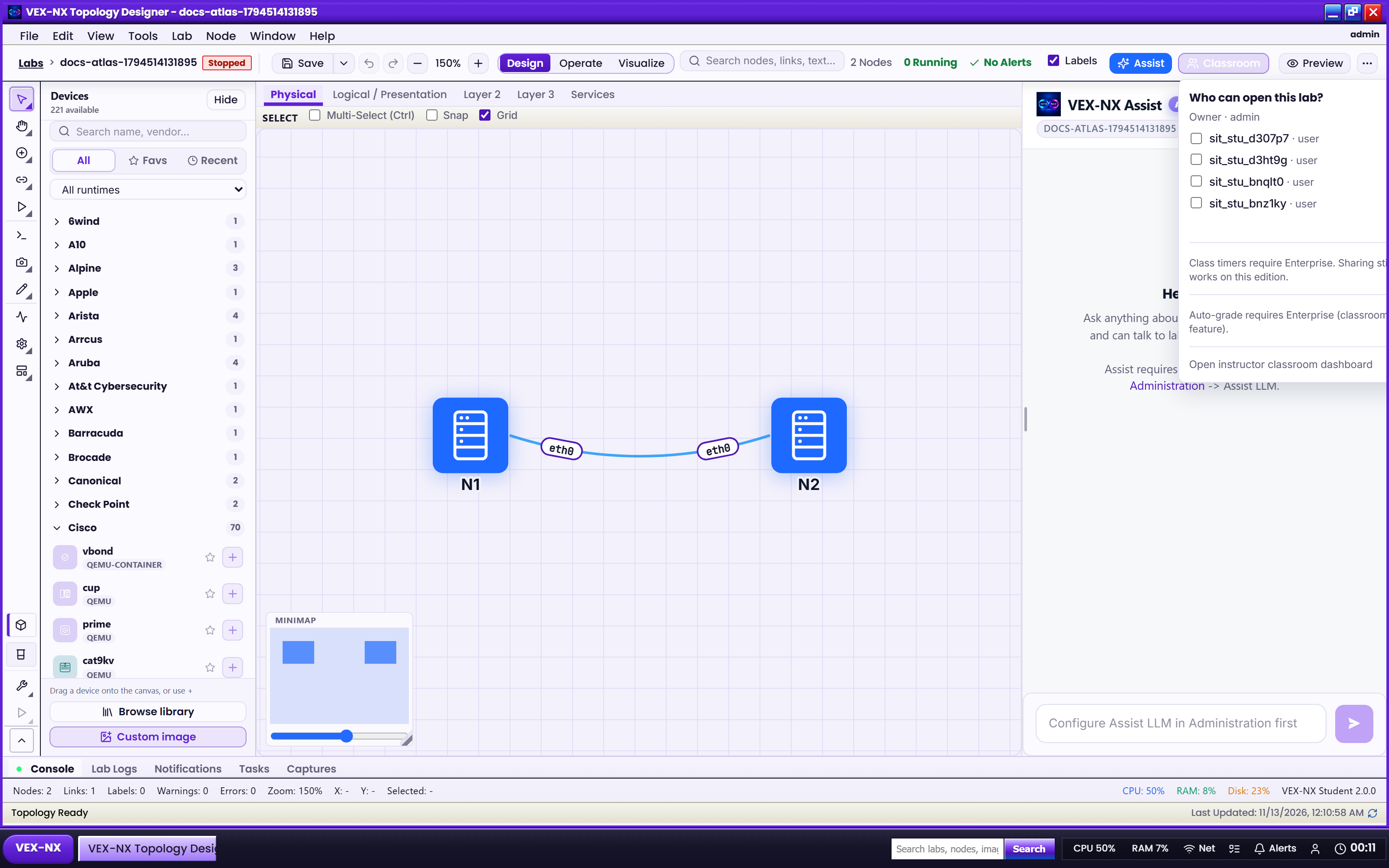
- On the workspace bar, click Classroom
- Or use the app menu Classroom... (same panel)
- For the full instructor studio: open Classroom in the sidebar / app, or the link Open instructor classroom dashboard inside the panel
Timers require Enterprise (classroom feature). Sharing can still work when timers are not entitled - see Features.
Recipe: share a lab
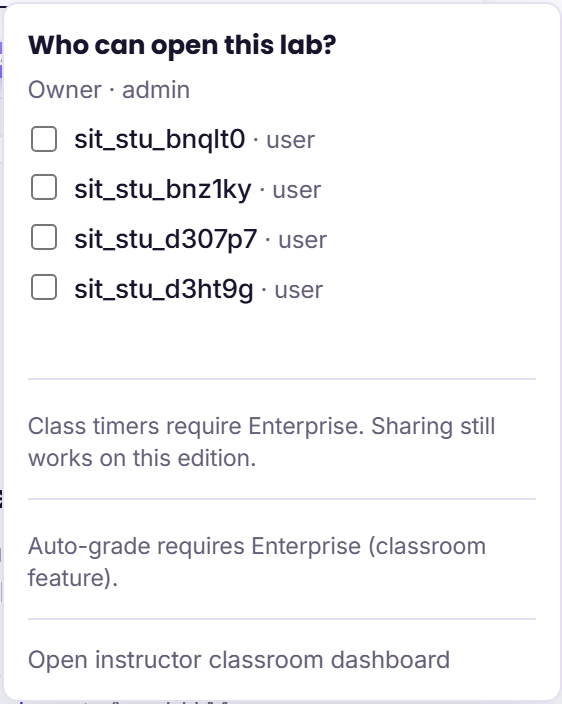
- Admin creates student accounts under Administration -> Users
- Open the lab as owner or admin
- Click Classroom
- Tick students (admin pick list) or type comma-separated usernames - shares auto-save
- Students sign in and open the same lab
Example: Share week3-ospf with alice and bob.
Recipe: class timer
- Classroom panel -> pick 15m / 30m / 1h / 2h or Custom... minutes
- Then: choose Stop nodes (topology kept) or Wipe nodes (runtime wiped)
- Click Start class
- Countdown chip appears on the bar; Cancel timer clears it early
At zero the appliance enforces Stop or Wipe on that lab (background job). Prefer Stop for slow NOS guests between classes.
Instructor tools in the panel
Compact Grade this lab / grade student copies may appear when entitled. Full broadcast, PDF export, and Proctor live on the Instructor dashboard.
Expected result
- Students see the shared topology
- Timer (if enabled) counts down and then Stop or Wipe as configured
- Shared labs appear on the instructor sessions list
If it fails
- Share control missing -> not owner/admin, or Present lens hiding the bar
- Students cannot login -> Admin creates accounts (Users, roles, and quotas)
- Start class disabled / timer section hidden -> Student edition; upgrade or accept share-only
- Timer expired but nodes still running -> wait up to about a minute for enforcement; refresh the lab
Related
- Classroom for instructors (admin checklist)
- Instructor dashboard
- Toolbars and More menu