Assist and automation
Using Assist
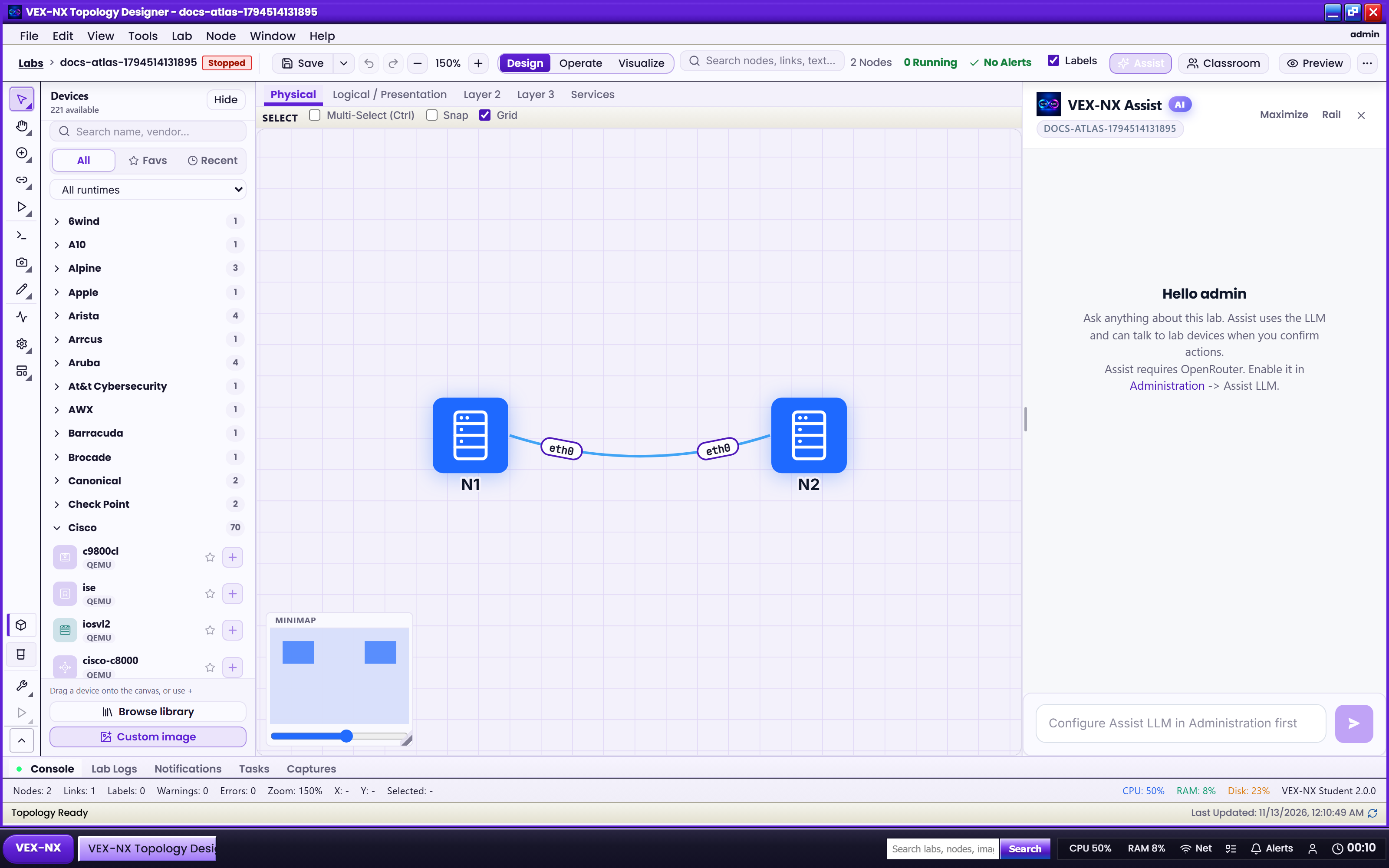
Use the Assist dock to create labs, draft configs, and drive MCP lab tools (commercial editions with LLM configured).
Goal
Use the Assist dock to create labs, draft configs, and drive MCP lab tools (commercial editions with LLM configured).
Why Assist exists
Assist is a lab-aware planner: you describe what you need in natural language (or use chips), it proposes steps, and it can call allowlisted lab tools (create lab, add nodes/links, generate/apply configs, start, capture, export). It is not a local demo script that hardcodes OSPF/MPLS recipes.
Before you start
- Edition with Assist enabled (Features)
- Admin has configured OpenRouter: Assist LLM settings
- Student has no Assist agent - chips stay disabled unless licensed; Assist always uses LLM (no local stub path)
Toolbar
On the lab page (Design / Operate / Observe): click Assist. Maximize, collapse to rail, or resize. Full chrome map: Toolbars and More menu.
What Assist can help with
| Capability | Notes |
|---|---|
| Natural-language lab creation | Describe topology goals; planner may create labs / nodes / links |
| Configuration generation | Draft startup configs for nodes; review diffs before apply |
| Validate explanations | Explain Validate findings |
| Capture / export shortcuts | Packet capture and config pack export (when licensed) |
| Migrate / running-config flows | See Recreate labs from production configs |
| Live device CLI (supported platforms) | Small explicit prompts; Cisco IOS-like, NX-OS, ASA, EOS, FRR vtysh, Junos, Fortinet, PAN-OS, VyOS, MikroTik, and others |
Assist chips (quick actions)
| Chip | What it asks Assist to do |
|---|---|
| Build | Help build a lab from your description |
| Configs | Generate and apply startup configs from your goals |
| Fix | Review configs / guide and fix problems |
| Publish | Publish a fixed starter as catalog default (asks confirm) |
| Capture | Capture packets on a lab link |
| Export | Export the config pack |
| Validate | Open / explain Validate findings |
Recipe: ask from a lab
- Open a lab
- Open Assist
- Pick a chip or type a clear request (vendors, protocol, scale)
- Review plan steps, diffs, and confirm prompts before accepting destructive actions (Start, wipe-like ops, publish)
- Copy results into Terminal / ScriptPad when you want manual control
Example prompts (synthetic):
Create a 3-router lab using Cisco IOSv with a triangle of links for OSPF Area 0.Generate startup configs for all routers with hostname R1/R2/R3 and OSPF on GigabitEthernet0/0.Explain why Validate is failing for this lab.
Safety
- Tool names are allowlisted on the server; unknown tools are rejected
- Lab access control applies to every tool call
- Destructive steps can require UI confirmation
- Do not paste real production secrets into Assist; use synthetic labs for demos
Expected result
- Replies and plan steps appear in the dock
- You can copy commands into Terminal / ScriptPad
- Confirm prompts appear before risky steps
If it fails
| Symptom | Fix |
|---|---|
| Assist missing / chips disabled | Community or licence without Assist; or OpenRouter not ready |
| Test / timeout | Check OpenRouter key, model, outbound network (LLM settings) |
| Wrong node context | Select the node; ensure the open lab is current |
Related
- Recreate labs from production configs
- OpenRouter LLM
- MCP and AI tools
- Design mode ScriptPad profiles
- Admin Assist LLM settings