Administration
Licence editions and activation
Activate an Enterprise licence and understand what each edition unlocks.
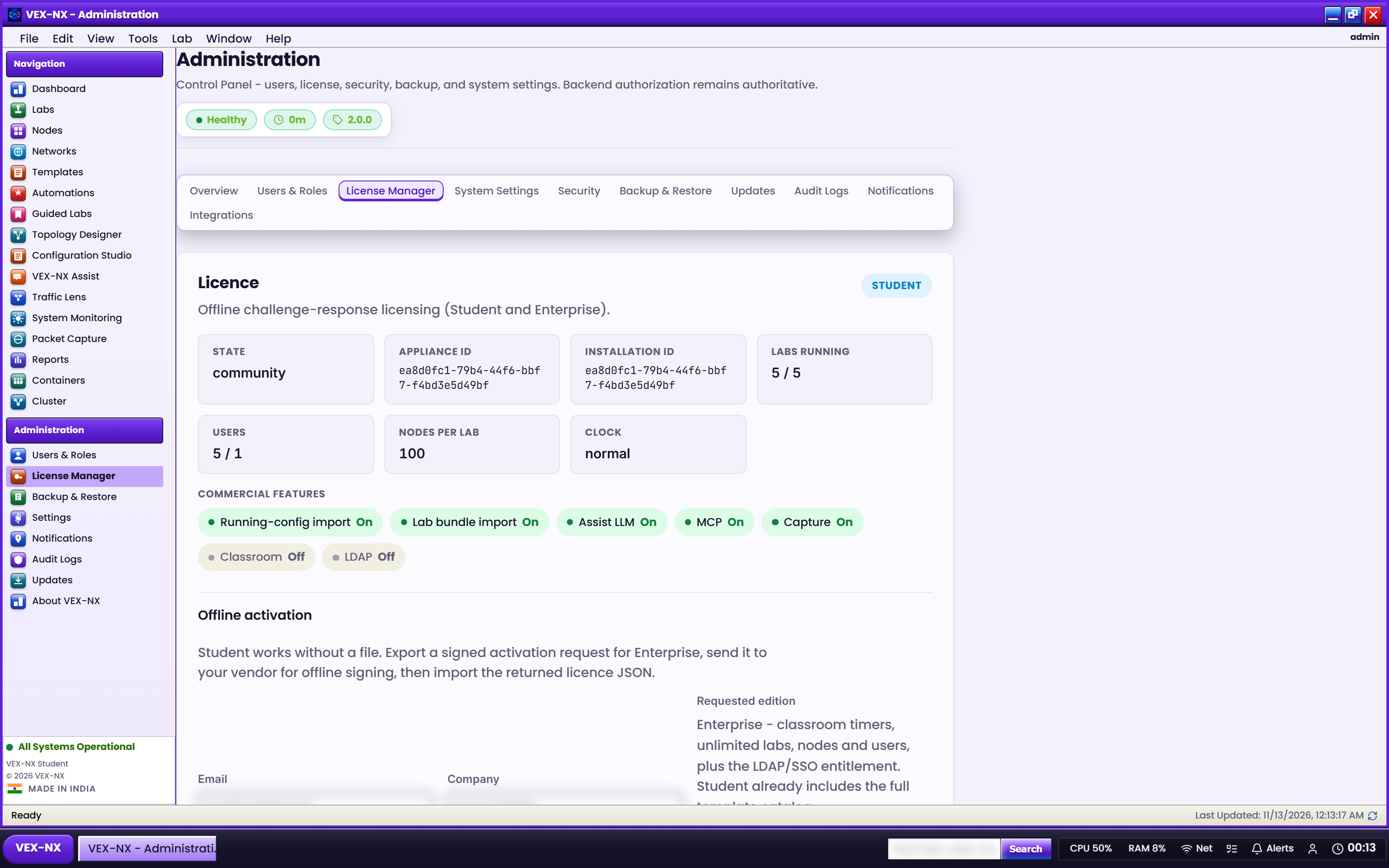
VEX-NX uses offline signed licence files. There is no licence server and nothing to phone home.
Editions
- Student works without a licence file, is free, and never expires.
- Enterprise unlocks when a valid signed licence file (and the commercial template pack) is present on the appliance.
| Edition | Concurrent labs | Nodes per lab | Users | Assist | MCP | Capture | Classroom | LDAP |
|---|---|---|---|---|---|---|---|---|
| Student | 5 | 100 | 1 | ✓ | ✓ | ✓ | – | – |
| Enterprise | Unlimited | Unlimited | Unlimited | ✓ | ✓ | ✓ | ✓ | ✓ |
These are the defaults; the exact Enterprise limits are written into your signed file.
Note
Retired editions. Pro, Academic, Team, and Trial no longer exist. If an old licence from one of those is installed, the import is refused, the status shows unsupported-edition, and the appliance runs as Student. Request an Enterprise licence to restore paid features.
Activate Enterprise
- Open Administration → Licence.
- Create an activation request if your vendor asks for one. The appliance ID is shown on the page. Enterprise is the only tier you can request.
- Upload the signed licence file you receive.
- Confirm the edition, expiry, and usage counters.
- Refresh Images → Catalog. Commercial templates appear when the pack and licence match.
Directory sign-in
Enterprise unlocks Administration → Security for LDAP, SAML/OIDC settings, and RADIUS. LDAP bind and RADIUS authenticate against local mapped accounts. SAML and OIDC sign-in show a clear unavailable message until identity-provider integration is completed.
Caution
Never publish licence private signing keys or vendor issuer tooling in tickets, docs, or screenshots.
If it fails
| Symptom | Fix |
|---|---|
| Invalid signature | Wrong file or wrong appliance. Contact your vendor. |
unsupported-edition | An old Pro/Academic/Team/Trial file. Request Enterprise. |
| Catalog still limited | Confirm the commercial template pack is on the appliance. |
| Feature denied | Your edition doesn't include it; the UI shows an upgrade message. |